What software is needed for PCB fabrication assembly?
PCB fabrication assembly
PCB (Printed Circuit Board) fabrication assembly is a sophisticated process that requires precision and efficiency at every stage. From designing the layout to assembling the components onto the board, the process involves numerous tasks that can be optimized with the right software tools. In today’s electronics manufacturing industry, specialized software is crucial for streamlining each phase of PCB fabrication assembly. These software tools are designed to address various aspects of the PCB process, including design, simulation, layout, testing, and production, ensuring that the final product meets high-quality standards and performs as expected.
The first essential software used in PCB fabrication assembly is PCB design software. This software is responsible for creating the initial design, which includes both the schematic and layout of the PCB. Popular PCB design tools include Altium Designer, Eagle, KiCad, and Autodesk Fusion 360. These software tools allow engineers to create detailed schematics that depict how components are connected, as well as the physical layout that defines where components will be placed on the board. They enable the designer to visualize the electrical connections and optimize the board’s real estate. The software also provides tools to verify electrical rules and constraints, ensuring that the design will work correctly before moving to fabrication.
Once the PCB design is completed, the next step in pcb fabrication assembly is generating the Gerber files, which contain all the necessary details for manufacturing the board. Gerber files are the standard for PCB fabrication and serve as the blueprint for creating the physical board. PCB design software, such as Altium Designer and Eagle, can generate these files automatically. These files include data such as layer definitions, drill hole information, component placements, and copper trace layouts, ensuring that the fabrication team has all the information needed to build the PCB.
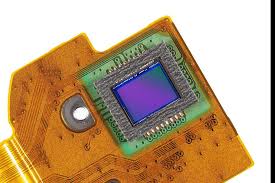
What software is needed for PCB fabrication assembly?
To ensure that the components are properly placed and soldered during the assembly process, assembly and pick-and-place software is needed. This software controls automated machines that place components onto the PCB during assembly. For instance, Autotronik and Siemens’ Valor are widely used in the industry for controlling the pick-and-place machines that are integral to PCB fabrication assembly. These tools ensure that each component is positioned accurately and in the correct orientation. Additionally, they generate a bill of materials (BOM), which details the specific components required for the assembly, and help manufacturers ensure the right parts are used.
Another critical software tool for PCB fabrication assembly is CAM (Computer-Aided Manufacturing) software. CAM software bridges the gap between design and fabrication by converting the design data (such as Gerber files) into machine-readable instructions that guide the fabrication process. CAM350 and IPC-2581 are popular CAM software solutions that allow manufacturers to generate drilling, routing, and milling instructions for the PCB fabrication process. These tools help in fine-tuning the design for optimal manufacturability, ensuring that the design can be produced efficiently and with minimal errors.
During the assembly phase, simulation and testing software become crucial. These tools help in verifying the functionality of the PCB before it is manufactured. ANSYS HFSS and Cadence are used for simulation to predict the electrical performance of the PCB and ensure that it meets the design specifications. For functional testing, TestPoint and National Instruments’ LabVIEW are often used to check the electrical integrity of the assembled PCB. These tools can simulate real-world conditions, such as heat and voltage stress, to ensure that the PCB will perform reliably in its intended environment.
Once the PCB is assembled, the final stage of quality control and inspection is critical. Software tools like Automated Optical Inspection (AOI) systems and X-ray inspection systems rely on advanced imaging software to detect defects such as soldering issues, component misplacement, or damaged traces. AOI software is used to capture high-resolution images of the PCB and compare them to the design files to ensure that every component is correctly placed and soldered. This ensures that the assembled PCB meets the required standards for performance and quality.
In conclusion, a variety of specialized software tools are needed for PCB fabrication assembly, each focusing on a different aspect of the process. PCB design software helps create the layout, Gerber file generation ensures manufacturability, pick-and-place software controls assembly automation, and CAM software bridges the gap between design and production. Additionally, simulation and testing software verify performance, while inspection tools ensure the final product is free from defects. By integrating these software solutions, manufacturers can optimize the PCB fabrication assembly process, ensuring the production of high-quality, reliable circuit boards for a wide range of applications.